 Time to Board
Your next trip.
At a glance.
Time for a coffee, or time to run?
Melbourne public transport widgets for iPhone. See train, tram and bus departures, plus V/Line train timetables across Victoria.
Save the services you use and check departures on your Home Screen or Lock Screen, without searching for the same trip again.
For iPhone · iOS 18 and later
Public testing is coming soon.
Find your stop.
A familiar place to start.
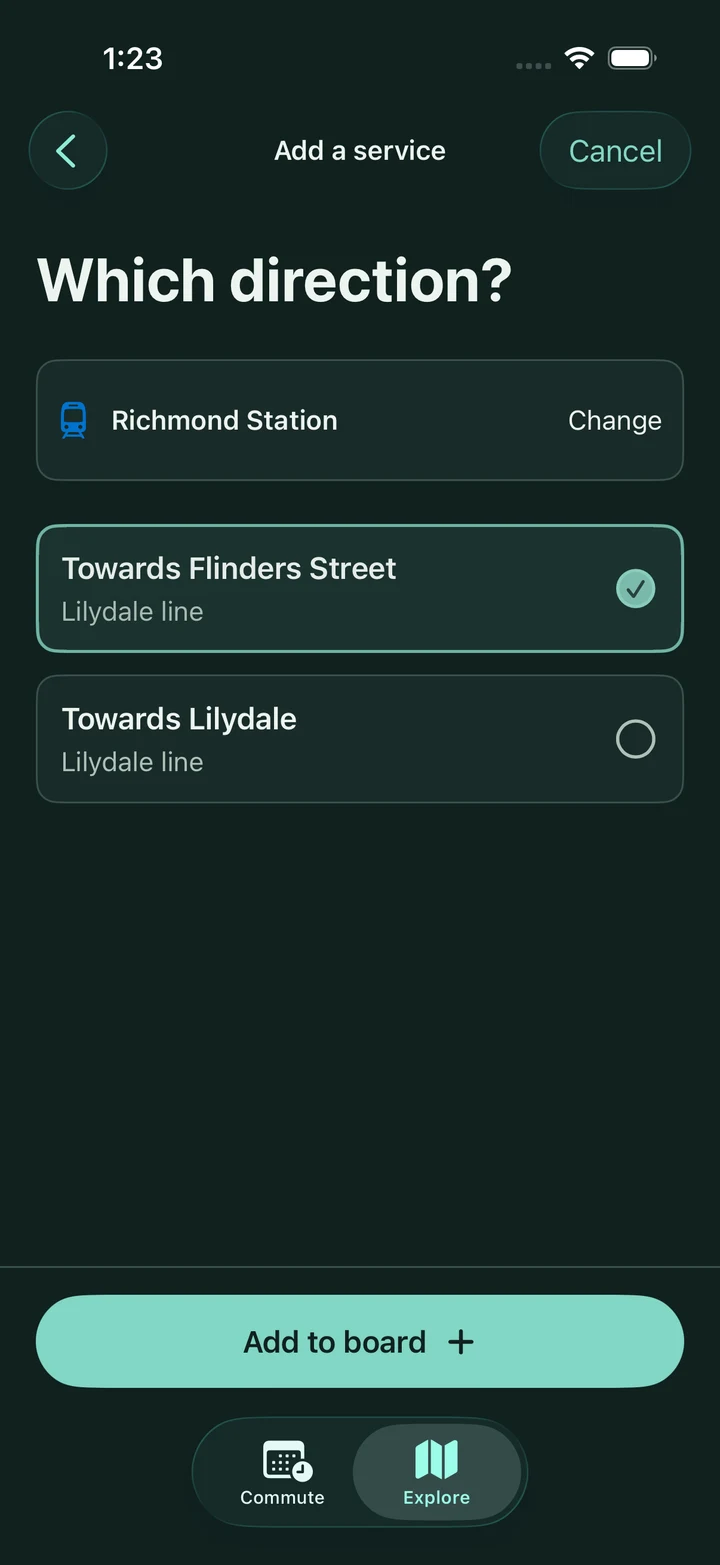
Search for your stop or browse the map. Choose a line and direction, then add it to your board.
Your services.
Ready when you are.
Save up to four stops and directions. See scheduled departures and live predictions when available, with service alerts close by.
Genuine captures from the earlier Next Trip build, with scheduled sample data.
Widgets &
Live Activities.
Good to know.
Made for everyday journeys across Victoria.
Read the Time to Board feature and setup guides.
Where can I use Time to Board?
Metro trains, Melbourne trams, metropolitan buses and V/Line trains. Regional buses, coaches, SkyBus, interstate and replacement-bus services are excluded.
Are departures live?
Fresh live predictions are supported for Metro trains, Melbourne trams and metropolitan buses. V/Line uses scheduled times. Live predictions expire after three minutes. Scheduled and unavailable information is labelled. Vehicle positions cover Metro trains and trams.
What works without internet?
Stop and route discovery use the timetable on your iPhone. App departures need internet for updates and may use cached results for up to 15 minutes. Widgets use their installed four-day timetable until coverage expires and renew when possible. Expired or unavailable information is labelled. Maps, place search and new downloads need internet.
Which iPhones are supported?
Time to Board requires iOS 18 or later. Public beta installation will use Apple’s TestFlight app when invitations open.
How can I share feedback?
During testing, use “Send Beta Feedback” in TestFlight. Include the stop, line, direction and a screenshot if useful. You can also email n51265248@gmail.com.
See you at
the next stop.
Time to Board for iPhone.
Public testing is coming soon.
Register your full name and email address to request a TestFlight invitation. Nick adds testers manually.
For iPhone running iOS 18 or later.
An independent app for Victorian public transport.
Not affiliated with or endorsed by Transport Victoria or PTV. Timetables adapted from official Victorian GTFS data under CC BY 4.0.