 Time to Board.
Your commute in a Live Activity.
Time to Board can show a saved service during your commute window as a Live Activity on the Lock Screen. On iPhones with Dynamic Island, the activity can also show a compact countdown and expanded departure details.
Choose your travel window
- Save your service in Time to Board, then open Commute schedule.
- Choose the service, travel days and start and end times.
- Enable the schedule and allow Live Activities when iOS asks.
The activity appears during the chosen hours and ends when the window closes. Open Time to Board while online at least once every 30 days to renew the schedule.
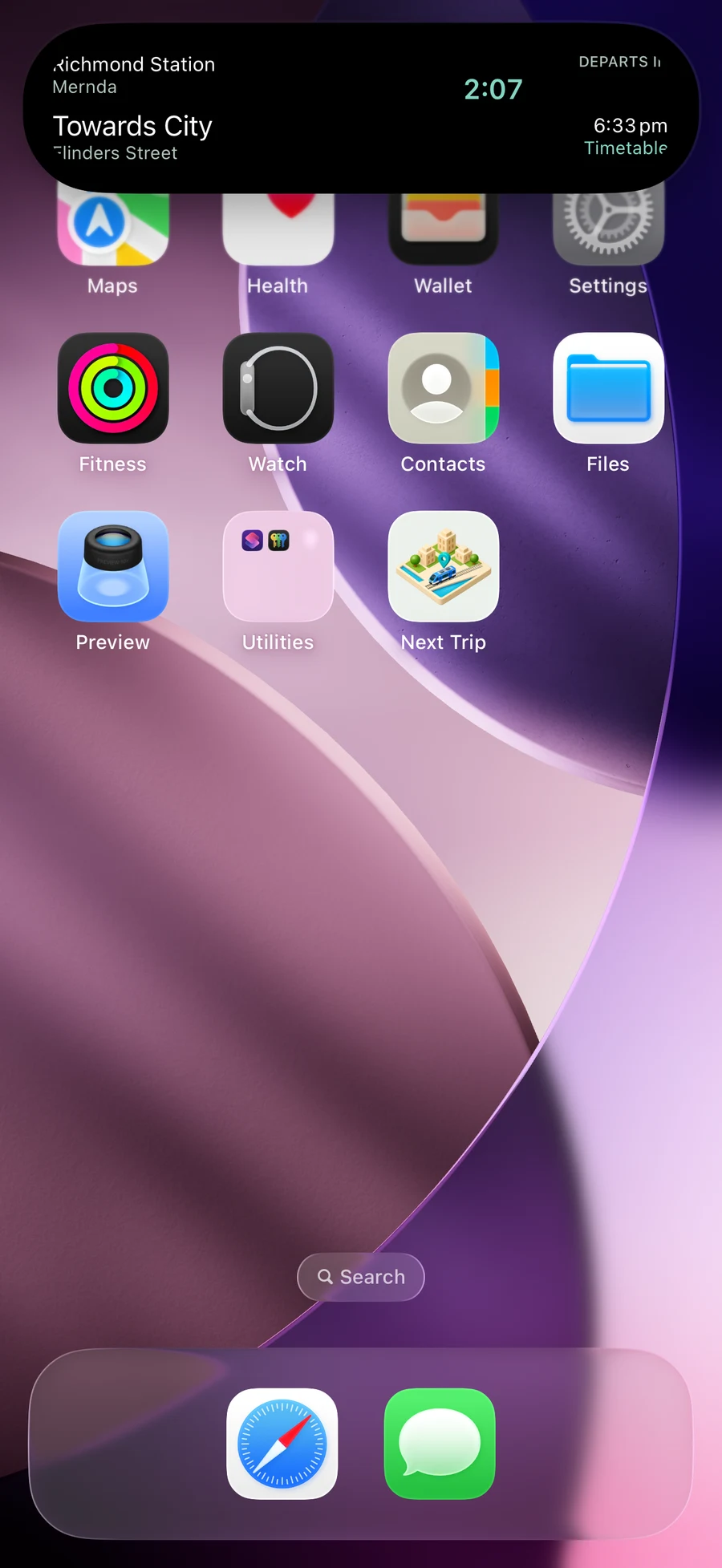
Dynamic Island states
The compact state shows a countdown while you use other apps. Touch and hold it to expand the station, direction and departure details; swipe up to collapse. When space is shared with another Live Activity, iOS may reduce Time to Board to a minimal transport icon.
Updates and limitations
New predictions need an internet connection. Live, scheduled or unavailable information is labelled. iOS and network conditions control delivery, so updates can be delayed. Check official operator information when disruptions affect your journey.
What your schedule sends
Enabling a commute schedule sends selected travel days and times, public service identifiers and labels, and Live Activity push tokens to the Time to Board service. See the privacy policy for retention, disabling a schedule and server processing.
Requires iPhone with iOS 18 or later; Dynamic Island views require a compatible iPhone. Public testing is coming soon. Compare Home Screen and Lock Screen widgets or read setup instructions.