 Time to Board.
Transport widgets for iPhone.
Time to Board puts a saved Melbourne train, tram or bus service, or a scheduled V/Line train service, on your iPhone Home Screen or Lock Screen. You can check your next departure without repeating a stop search.
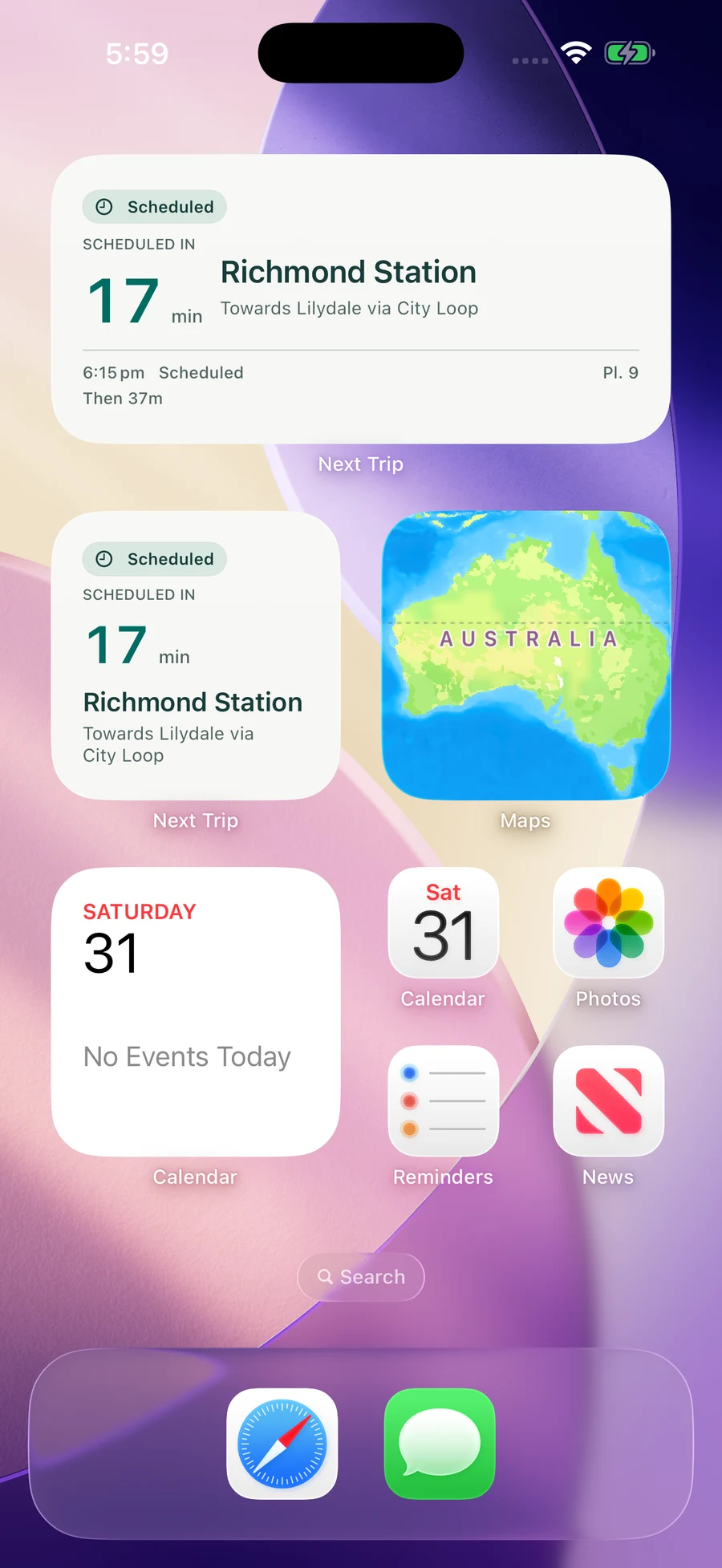
Home Screen widgets
The small widget shows a departure countdown. The medium widget adds the departure time, platform when available and a following service. Choose a saved service when configuring the widget.
Lock Screen widgets
A compact Lock Screen widget keeps your selected departure close to the clock. Save a service in Time to Board before choosing it in the widget configuration.
Add a widget
- Save your stop, line and direction in Time to Board.
- Touch and hold the Home Screen, choose Edit, then Add Widget, and search for Time to Board.
- Add the small or medium widget. Touch and hold it, choose Edit Widget, then select your saved service.
For the Lock Screen, touch and hold it, choose Customise, select the Lock Screen and add a Time to Board widget in the widget area.
Live and scheduled departures
Live predictions appear when available. Scheduled and unavailable information is labelled. V/Line trains use scheduled data. iOS controls widget refresh timing; a countdown is not a guarantee that a service will run.
Read the coverage guide, setup instructions or widget troubleshooting guide. For a commute countdown in Dynamic Island, see Live Activities.